Kit Deck

Features

Connected workflows — then every module underneath.

Kit Deck is not a pile of tools. Prep, shoot, and wrap share one production record so scripts, stripboards, callsheets, crew, kit, budgets, and timesheets stay in sync.

Workflows

How the suite works together

Follow the handoffs: breakdown becomes stripboard and callsheet; assignments become portal briefs, timesheets, and live costs — without copying data between apps.

  1. 01

    Phase 1

    Prep & development

    Get from greenlight to shoot-ready. Import the script, lock continuity, layout setups, scout locations, and build crew and kits.
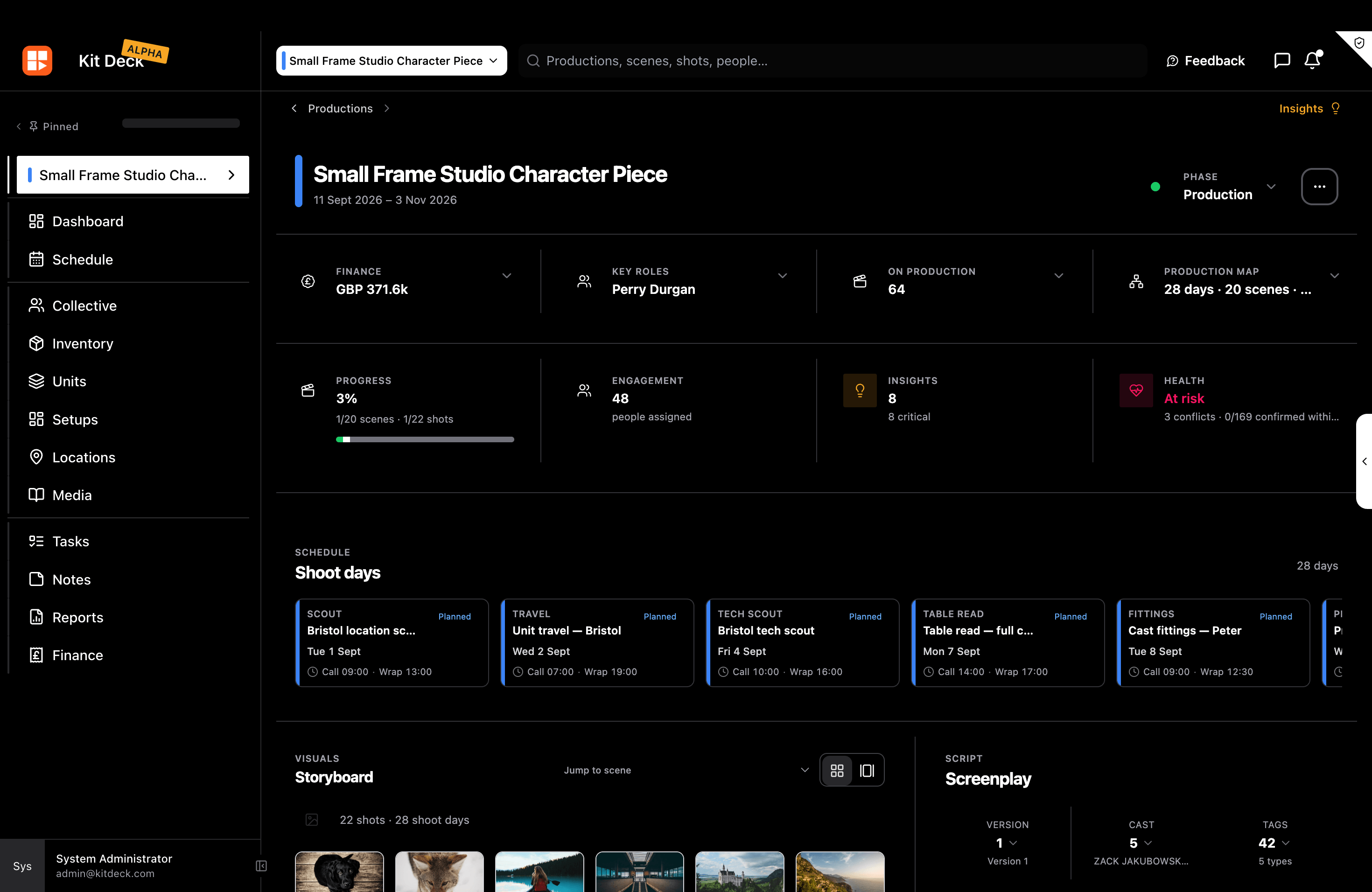
    Production overview with shoot days, storyboard, and screenplay

    Feeds the next phase

    Scenes & shotsLooks & setupsRoster & kits
    • Script import & breakdown
    • Continuity matrix
    • Setups canvas
    • Location library
    • Crew & collective
    • Kit building
    Breakdown → stripboard & callsheet
  2. 02

    Phase 2

    Shoot & on set

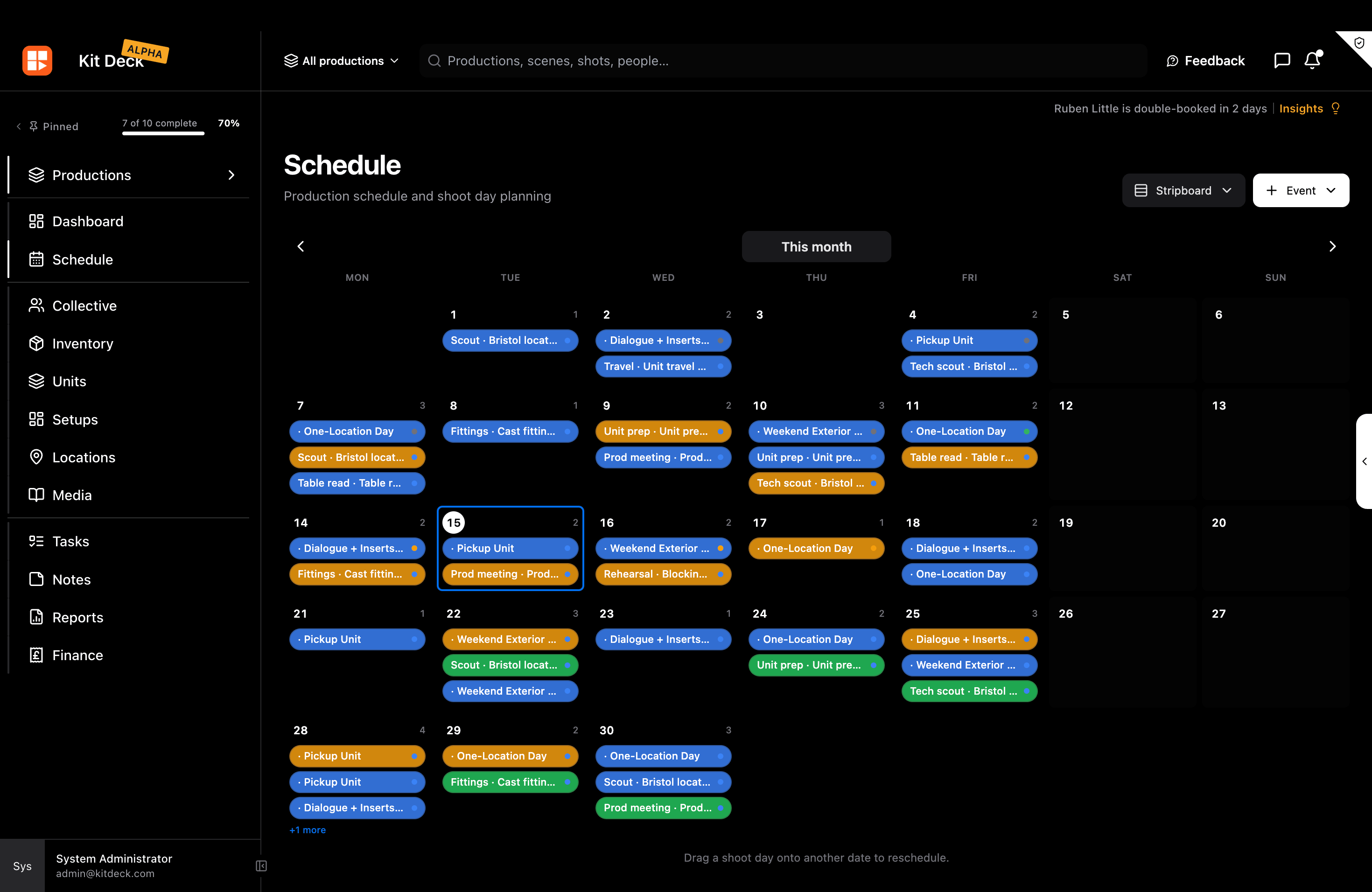
    Run the day from the same record. Publish callsheets, keep the stripboard live, move gear, and push tasks and messages to departments.

    Production schedule calendar with shoot days and events

    Feeds the next phase

    CallsheetsDay boardBookings
    • Digital stripboard
    • Versioned callsheets
    • Shoot-day timelines
    • Gear check-in/out
    • On-set tasks
    • Production messaging
    Assignments → portal, timesheets & costs
  3. 03

    Phase 3

    Team, portal & wrap

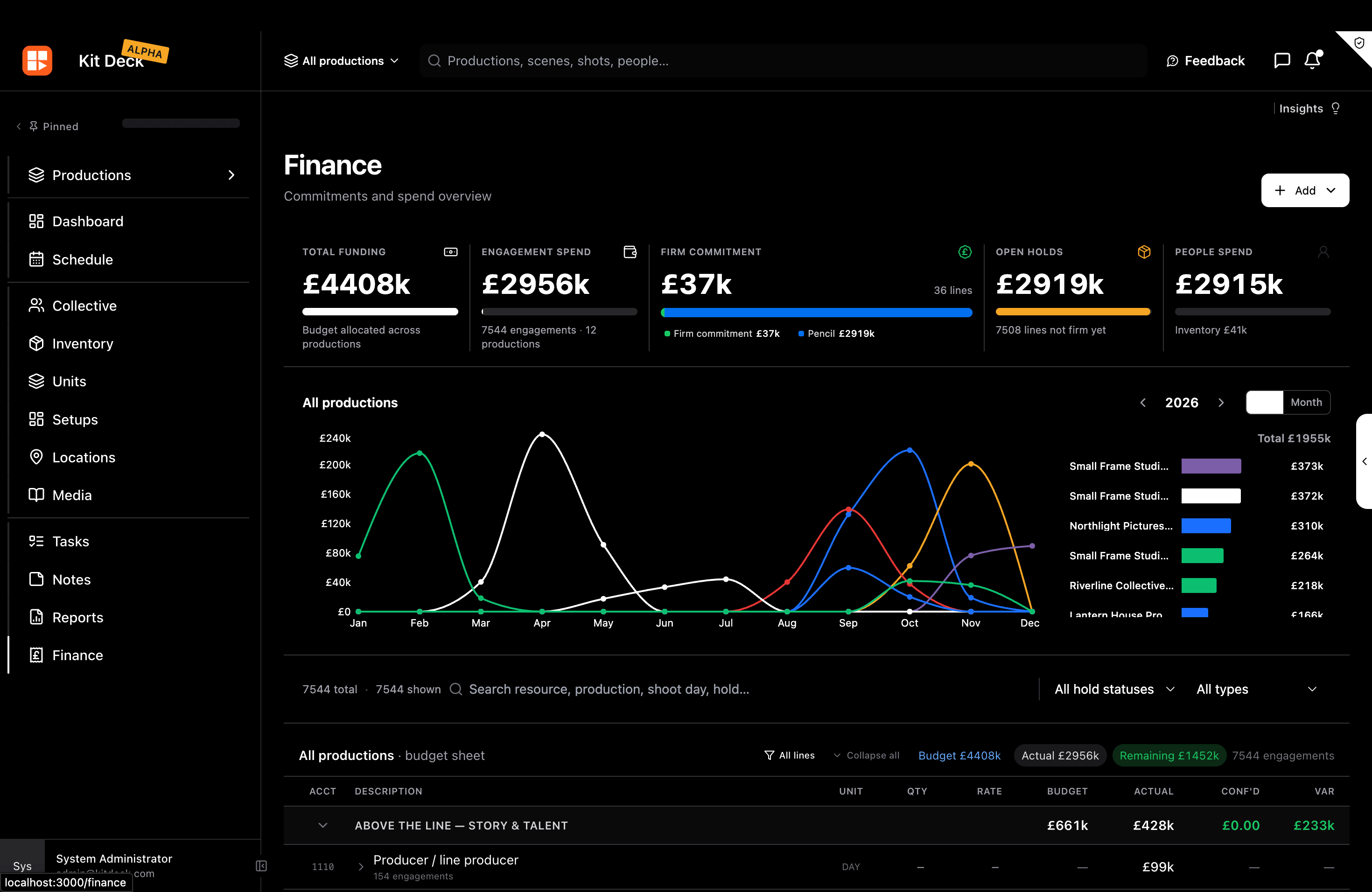
    Keep talent and crew aligned through wrap — holds, portal briefings, timesheets, live budget, and media on the same production.

    Finance overview with funding, spend, and budget sheet

    Feeds the next phase

    Portal briefsTimesheetsCost totals
    • Engagements & holds
    • Talent portal
    • Timesheets
    • Roles & permissions
    • Live budget
    • Media & folders

Shared production record

One source of truth flows through every phase

Script data becomes the stripboard. The stripboard becomes the callsheet. Assignments become portal briefs, timesheets, and live budget lines — without re-entry.

Breakdown → stripboard & callsheet
Assignments → portal, timesheets & costs

01

Prep

02

Shoot

03

Team, portal

Modules

Every capability on the same record

Browse the suite by area — each module plugs into the workflow above.

Planning & on set

From script import to published callsheets — including continuity and set layouts.

Script import & breakdown

Import Fountain, PDF, FDX, or Google Docs and auto-build scenes, shots, cast, props, and wardrobe.

Breakdowns feed the stripboard and schedule so you are not retyping the same scene list.

Production overview with shoot days, storyboard, and screenplay

Stripboard, schedule & callsheets

Build digital stripboards, plan shoot days, publish versioned callsheets, and run on-set timelines.

Day breaks, company moves, and cast numbering stay linked across stripboard, calendar, and callsheet.

Production schedule calendar with shoot days and events

Continuity matrix

Track character looks — wardrobe, props, and set dressing — and assign them across scenes and shoot days.

See continuity coverage on a matrix so wardrobe and props stay consistent through the shoot.

Setups canvas

Plan sets in 2D/3D — blocking, cameras, lights, and department layout on a shared production canvas.

Coordinate spatial prep without a separate whiteboard tool disconnected from the schedule.

View pricingCreate account
Kit Deck
AboutFeaturesPricingPrivacyTerms
TwitterGitHubLinkedIn

© 2026 Kit Deck. Film production operating system.