

Flow SlateFlow Slate
FeaturesPricing
Sign inGet started

People & access

Talent & crew portal

Share holds, offers, callsheets, and availability requests through a dedicated talent portal.
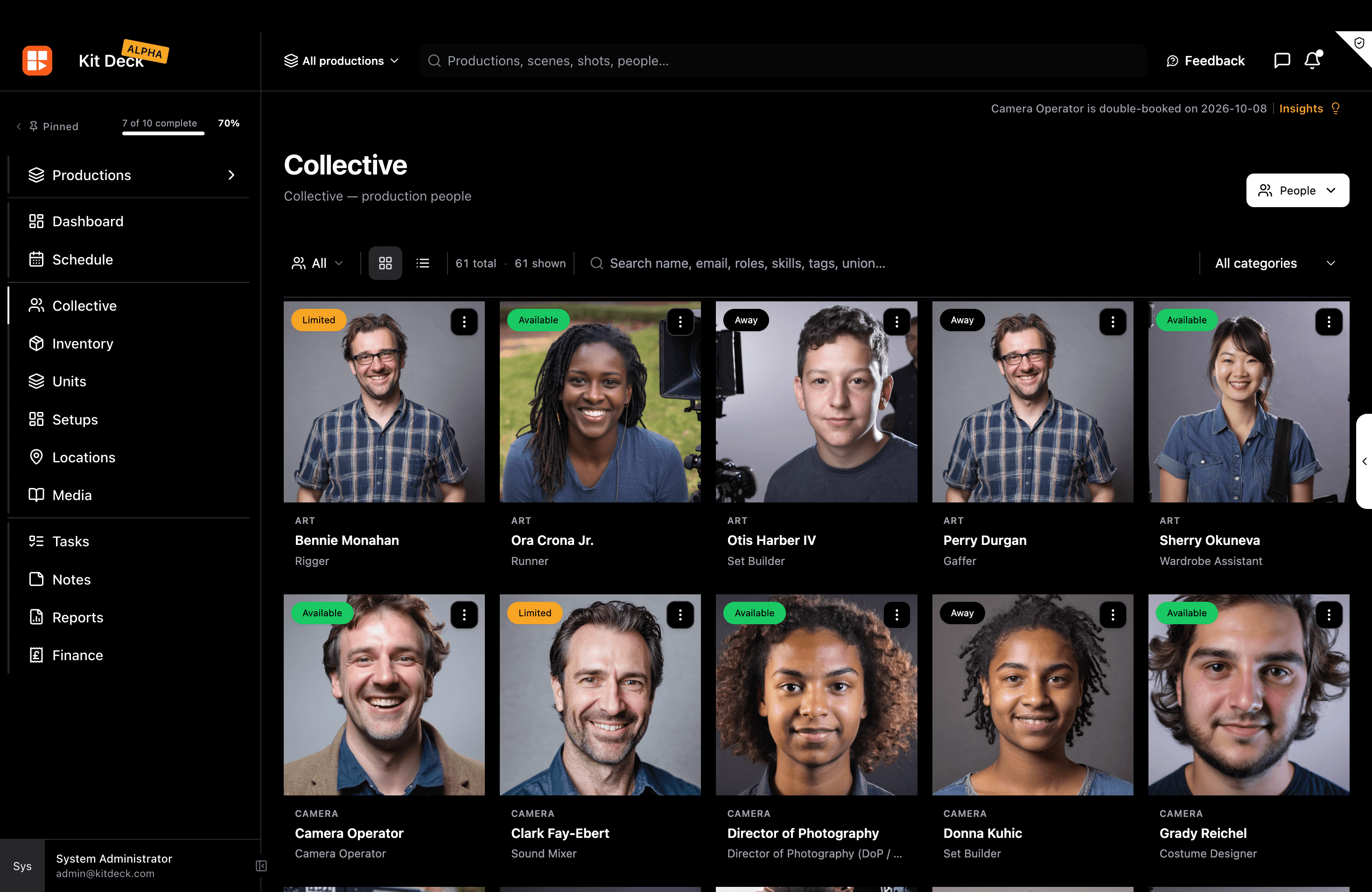
Collective people directory with cast and crew
Create accountAll features

All in one

  • Script import & breakdown

    Import Fountain, PDF, FDX, or Google Docs and auto-build scenes, shots, cast, props, and wardrobe.

  • Stripboard, schedule & callsheets

    Build digital stripboards, plan shoot days, publish versioned callsheets, and run on-set timelines.

  • Continuity matrix

    Track character looks — wardrobe, props, and set dressing — and assign them across scenes and shoot days.

  • Setups canvas

    Plan sets in 2D/3D — blocking, cameras, lights, and department layout on a shared production canvas.

  • Collective network

    Maintain cast, crew, clients, agencies, and suppliers with skills, rates, and availability.

  • Talent & crew portal

    Share holds, offers, callsheets, and availability requests through a dedicated talent portal.

  • Engagements & holds

    Manage industry-style holds and offers with conflict detection synced from shoot-day assignments.

  • Timesheets

    Collect portal self-service timesheets or run an org roster grid from draft through approval.

  • Roles & permissions

    Map production roles to permissions for schedule publish, callsheets, budget, and member access.

  • Inventory, kits & locations

    Catalog gear, build kits, scout locations, and track check-in/out with automatic conflict alerts.

  • Live budget & bookings

    Book people and kit at production-specific rates and watch cost totals update with the schedule.

  • Messages & activity

    Production rooms, DMs, mentions, notifications, and a cross-plugin activity log.

  • Tasks

    Org-scoped Kanban boards linked to productions, shoot days, and on-set work.

  • Media & folders

    Keep a media library and Drive or Dropbox folder links on the same production record.

What it covers

Talent, crew, agencies, and suppliers get a portal for holds, availability, and the published callsheet. They stay in the conversation without taking a production seat on your plan.

  • Three ways in

    A person, an agency, and a supplier each see their own scope. Lists are limited to that identity. An agency does not browse the whole crew, and a supplier does not see someone else's kit.

  • Holds and answers are separate

    A hold runs from pencil through soft, first, and second hold to confirmed. The response is offered, accepted, or declined. A firm commitment is both confirmed and accepted. That is what blocks a double book. Pencil and soft overlaps warn you. They do not pretend the day is locked.

  • Availability they can set

    Portal users maintain their own availability. The organisation-wide roster still lives in Collective. Portal is the person's view of their days, not the producer's grid of everyone.

  • The callsheet they are allowed to see

    A callsheet in the portal is the published freeze for a day they are engaged on. It is read-only. Edits on the live board do not rewrite the sheet in their hand until you publish again.

On the same record

Engagements are created from bookable shoot-day assignments. Off days and non-bookable events do not open a portal hold. Gear overlaps stay blocking even when a crew hold is only a pencil.

Also in People & access

  • Collective network
  • Engagements & holds
  • Timesheets
  • Roles & permissions

One crew. One record. One slate.

Get everyone on the same page.

One place for the script, the money, the people, and the numbers. Build what moves in Flow Slate.

Create accountSee pricing
Flow SlateFlow Slate
AboutFeaturesPricingPrivacyTerms
TwitterGitHubLinkedIn

© 2026 Flow Slate. Film production operating system.