

Planning & on set
Stripboard, schedule & callsheets
Build digital stripboards, plan shoot days, publish versioned callsheets, and run on-set timelines.
What it covers
Plan the shoot on a stripboard, keep the rest of the calendar honest, and publish a callsheet that talent actually receives. Days, scenes, and cast numbers stay on one production.
A stripboard, not a second schedule
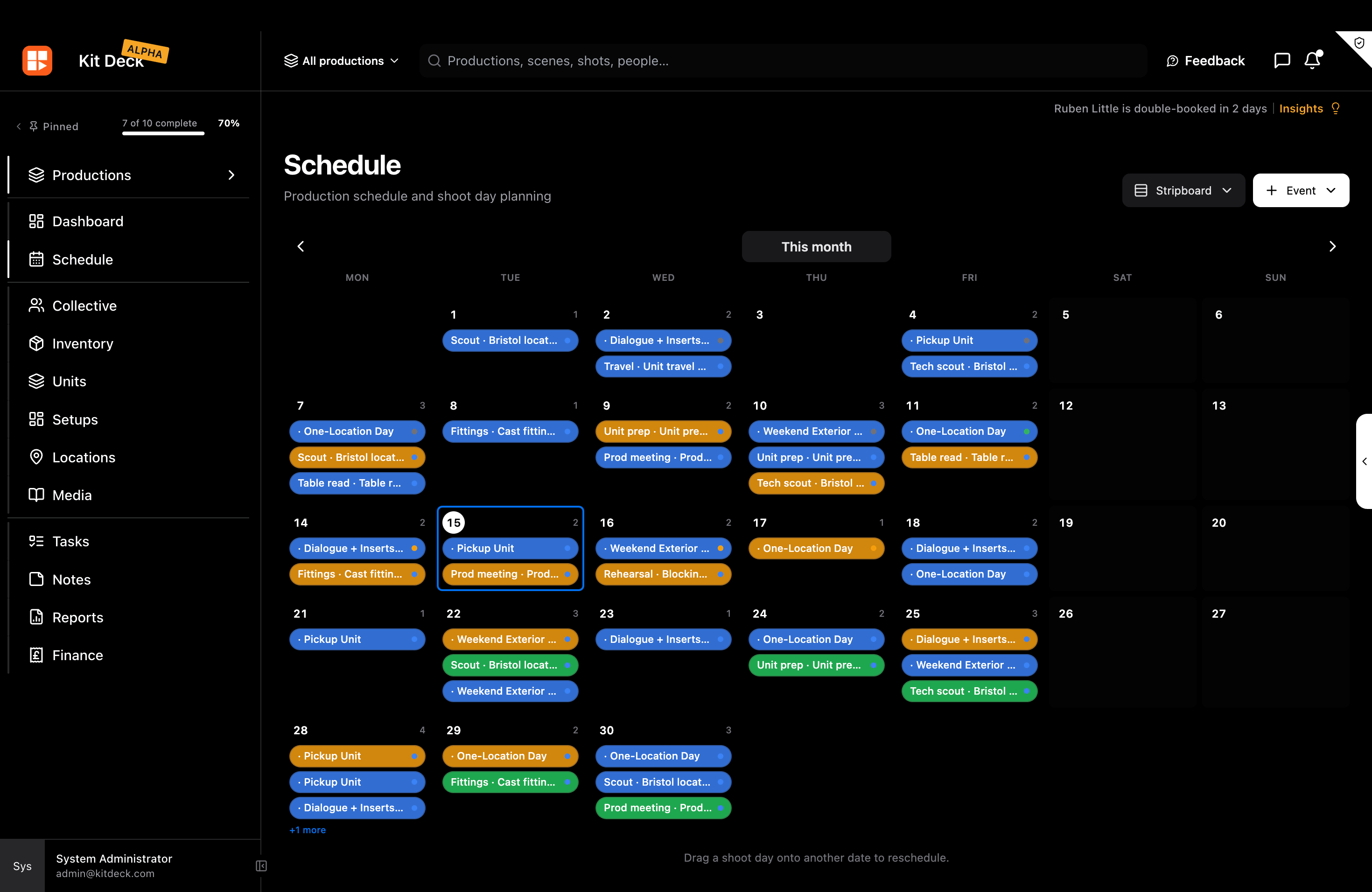
Scene strips, day-break banners, and company moves are the planning board. Search by scenes, locations, codes, days, or company moves, and show or hide what you do not need. Lock days and scenes so an auto-plan or a drag does not move work you have already settled. Select mode handles the bulk edits.
Draft until you apply
Planner edits stay on your working board until you apply them. Save a named version without touching the live schedule, load it back later, then apply when the board is the one you want published. The stripboard on the production page is a live preview. Open the planner to change it.
Shoot days and everything around them
The board itself is shoot days and company moves. Prep, wrap, scouts, travel, rehearsals, fittings, meetings, and holds live on the production calendar. Each event type decides whether the day can take crew and kit, carry a timeline, hold scenes, or grow a callsheet. Off days are not bookable. A shoot day can run past midnight.
Callsheets you publish, not paste
One draft callsheet per shoot day is composed from the live timeline, assignments, locations, and weather. Templates cover an AD day, a commercial, a music video, or a studio day. Reorder sections, keep your overrides, and publish a frozen version. Portal shows that published sheet, not the live board underneath it.
Cast numbers that do not shuffle
Billing order starts from how often a character appears in the screenplay. New characters append at the end. You can reorder or reset, and the same numbers show on stripboard chips, the cast legend, callsheet rows, and scene people.
On the same record
Apply a board and the assignments can open engagements for bookable days. Publish a callsheet and it is the sheet portal users read. Export the range as an ICS file when someone needs the days in another calendar.
Also in Planning & on set


One crew. One record. One slate.
Get everyone on the same page.
One place for the script, the money, the people, and the numbers. Build what moves in Flow Slate.