

Flow SlateFlow Slate
FeaturesPricing
Sign inGet started

Collaboration

Tasks

Org-scoped Kanban boards linked to productions, shoot days, and on-set work.
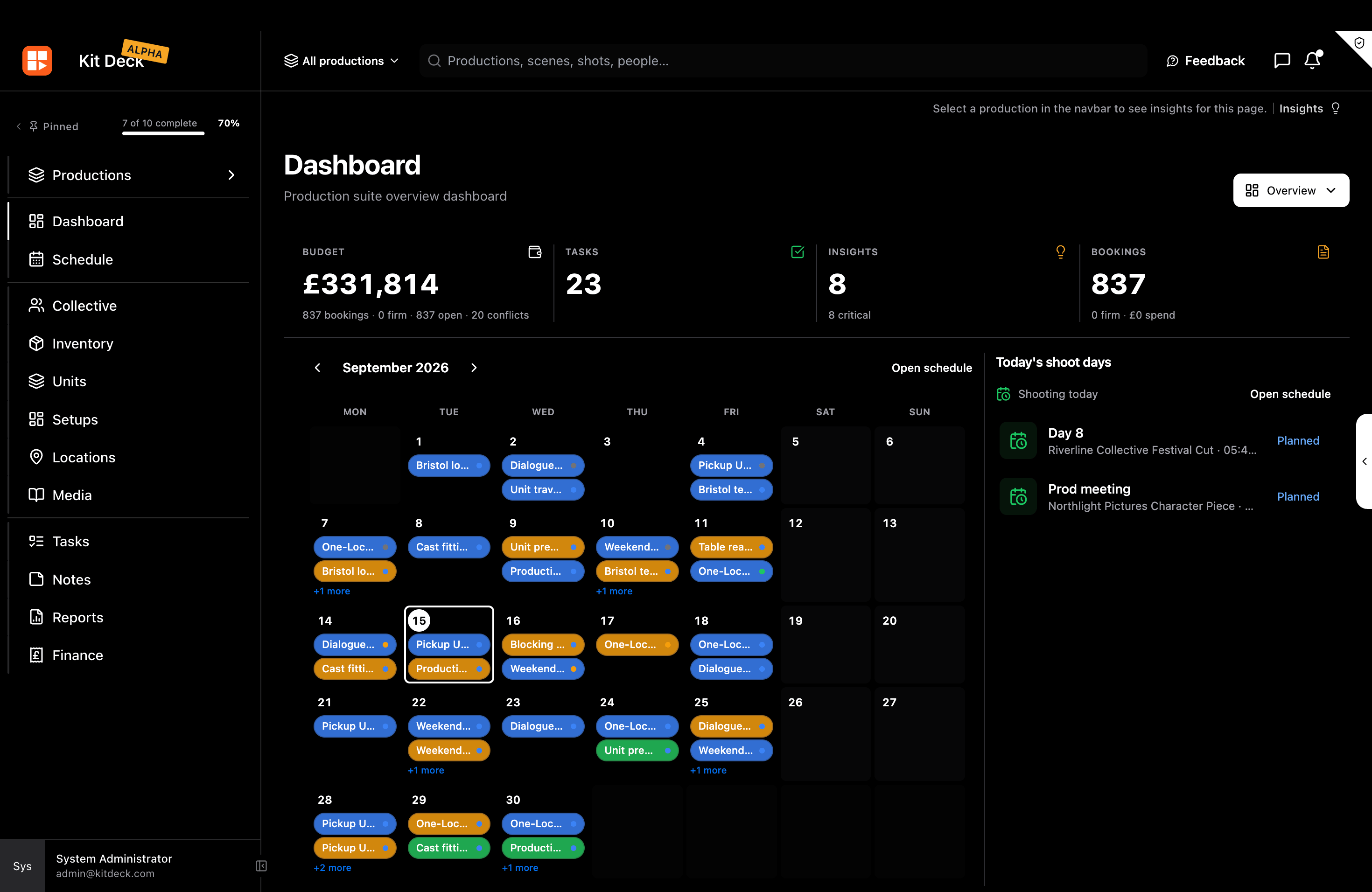
Flow Slate dashboard with production calendar, budget, tasks, and shoot days
Create accountAll features

All in one

  • Script import & breakdown

    Import Fountain, PDF, FDX, or Google Docs and auto-build scenes, shots, cast, props, and wardrobe.

  • Stripboard, schedule & callsheets

    Build digital stripboards, plan shoot days, publish versioned callsheets, and run on-set timelines.

  • Continuity matrix

    Track character looks — wardrobe, props, and set dressing — and assign them across scenes and shoot days.

  • Setups canvas

    Plan sets in 2D/3D — blocking, cameras, lights, and department layout on a shared production canvas.

  • Collective network

    Maintain cast, crew, clients, agencies, and suppliers with skills, rates, and availability.

  • Talent & crew portal

    Share holds, offers, callsheets, and availability requests through a dedicated talent portal.

  • Engagements & holds

    Manage industry-style holds and offers with conflict detection synced from shoot-day assignments.

  • Timesheets

    Collect portal self-service timesheets or run an org roster grid from draft through approval.

  • Roles & permissions

    Map production roles to permissions for schedule publish, callsheets, budget, and member access.

  • Inventory, kits & locations

    Catalog gear, build kits, scout locations, and track check-in/out with automatic conflict alerts.

  • Live budget & bookings

    Book people and kit at production-specific rates and watch cost totals update with the schedule.

  • Messages & activity

    Production rooms, DMs, mentions, notifications, and a cross-plugin activity log.

  • Tasks

    Org-scoped Kanban boards linked to productions, shoot days, and on-set work.

  • Media & folders

    Keep a media library and Drive or Dropbox folder links on the same production record.

What it covers

Prep and wrap live on Kanban boards scoped to the organisation, linked to the production, the shoot day, and the people doing the work.

  • Boards for the organisation

    Tasks belong to the org, then point at the show. You are not keeping a separate board per department that nobody else can see, and you are not mixing two companies in one list.

  • Linked to the actual work

    A task can link to a production, a shoot day, and other records in the suite. The prep item sits on the day it is for, instead of in a title that says "Tuesday unit B" and hopes someone searches.

  • Assignees and pins

    Assign the people who have to do it. Pin the tasks you are driving this week so the board you need is the one that opens, not the full backlog.

On the same record

Tasks sit beside documents, messages, and the schedule. A follow-up from a breakdown or a callsheet meeting has a place on the same production record.

Also in Collaboration

  • Messages & activity
  • Media & folders

One crew. One record. One slate.

Get everyone on the same page.

One place for the script, the money, the people, and the numbers. Build what moves in Flow Slate.

Create accountSee pricing
Flow SlateFlow Slate
AboutFeaturesPricingPrivacyTerms
TwitterGitHubLinkedIn

© 2026 Flow Slate. Film production operating system.